
API key
Programmatic access to your Tremendous account
API Keys give you programmatic access to your account. This is the simplest and most common way to integrate with Tremendous.
You can generate an API key through the Tremendous dashboard under Team Settings > Developers.
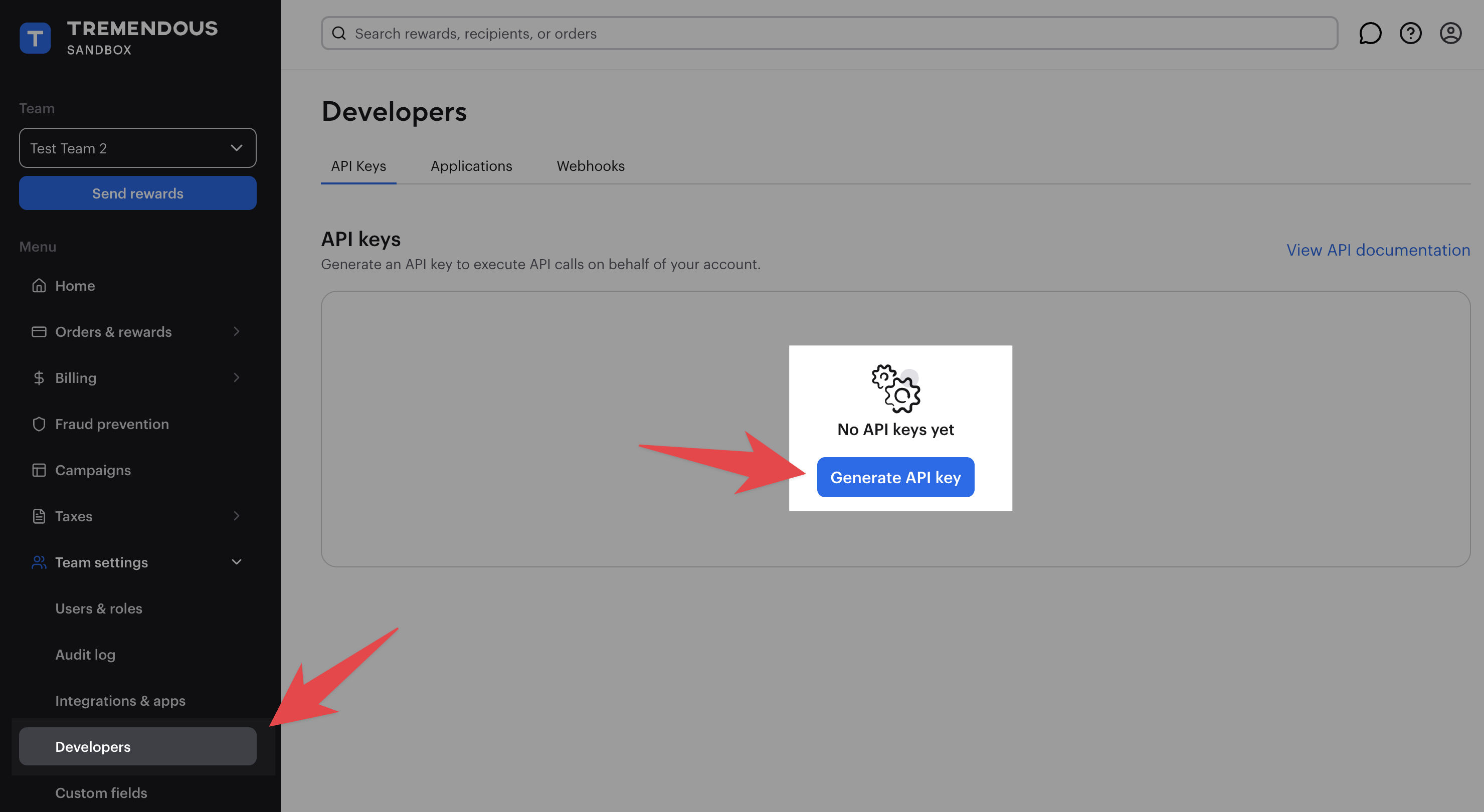
Save the key once you’ve generated it. Tremendous treats API keys as passwords, and will not have future access to the full key after you have generated it.
Authenticating via API key
To authenticate via API key, make a request using the following format:
curl --header 'Authorization: Bearer YOUR-API-KEY' \
     --url 'https://testflight.tremendous.com/api/v2/ping'
Read-only keys
API keys are either Read and write (default) or Read-only. Set the permission when creating a key, or change it later via the overflow menu (three dots) next to the key under Team settings > Developers.
A read-only key can make any GET request, plus Create report (since it's just a data export). All other requests return 403.
IP restrictions
Restrict an API key to specific IP addresses. Requests from any other IP return 401.
Setup
- Go to Team settings > Developers.
- Select the overflow menu (three dots) next to the key you want to restrict.
- Select IP restrictions.
- Add one or more IP addresses or CIDR ranges, then save. Restrictions take effect immediately.
Supported formats
| Format | Example | Covers |
|---|---|---|
| Single IPv4 | 203.0.113.42 | One address |
| IPv4 CIDR range | 203.0.113.0/24 | 203.0.113.0 through 203.0.113.255 |
| Single IPv6 | 2001:db8::1 | One address |
| IPv6 CIDR range | 2001:db8::/32 | All addresses in the 2001:db8:: block |
Behavior
Restrictions are per API key, so each can have its own allowlist. A key with no entries accepts requests from any IP.
Blocked requests return HTTP 401 The API key you provided is not allowed to make requests from this IP address. (203.0.113.42)
Don't break your integration
Before creating restrictions, confirm the IPs in the list match where your API requests originate. If you get it wrong, requests using that key will start failing. You can update the allowlist or disable the feature anytime from the dashboard..
Updated about 1 month ago